
An eSIM rollout is not technically demanding. Profiles are issued from a dashboard, staff install them from an email, and connectivity works. Deployments that go badly almost never fail on the technology. They fail because somebody promised a timeline before checking which devices could actually take a profile, or because nobody agreed what happens when a traveller exceeds their allowance.
This is the project view: the phases, what to check in each, how to sequence waves across a mixed estate, what to tell staff and when, and the specific points where rollouts stall. Day-to-day administration once it is running is covered separately in our guide to enterprise eSIM management.
How this differs from managing eSIM day to day
- This is the project: auditing, deciding, piloting, migrating and closing out.
- Ongoing administration is covered separately in our guide to enterprise eSIM management.
- Deployments fail on eligibility and policy far more often than on technology.
- Waves aligned to hardware refresh beat a forced cutover in almost every estate.
- Plan a rollback path for the first wave. You will probably not need it, and you will be glad it exists.
Start with the device audit
This is the step that determines whether everything after it is realistic. It is also the step most often skipped, because the asset register appears to answer the question already.
| Check | What you are looking for | If the answer is no |
|---|---|---|
| eSIM hardware support | Does the model support an eSIM profile at all | Device waits for the refresh cycle; not a migration candidate |
| Carrier lock | Is the handset locked to the operator it was bought from | Unlock via the operator, or defer until replacement |
| OS version | Is the device on a version that supports current provisioning | Update before migrating, or defer |
| Profile slots in use | Does the device already carry eSIM profiles | Check capacity and which profile carries data |
| Ownership | Company-owned or personal device under a BYOD policy | BYOD needs consent and a different support boundary |
| MDM enrolment | Is the device managed, and can that help provisioning | Manual install instructions and more support volume |
Run this against the asset register, then verify a sample by hand. Registers are usually optimistic about model and OS version.
The carrier lock check deserves particular attention because it catches people out. A handset can be fully eSIM-capable and still unusable if it is locked to the operator it was purchased from. That is not something the platform can solve, and discovering it during a wave rather than during the audit turns a scheduled migration into a queue of exceptions.
Sources: GSMA Intelligence device tracker; GSMA Mobile Economy Report 2026.
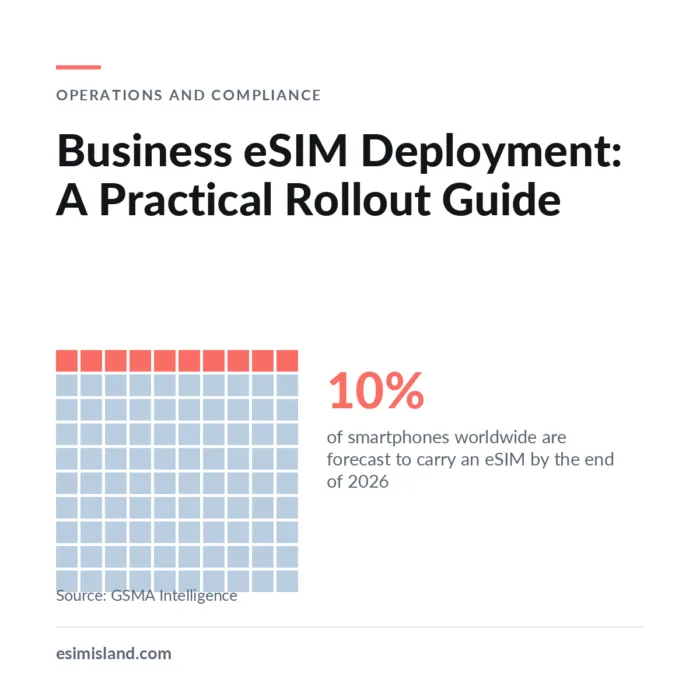
The encouraging part is that eligibility improves on its own. GSMA Intelligence counted 395 eSIM-capable device models as of mid-2025, up from 231 in 2023, and eSIM is forecast to reach around 42% of all SIM technologies by 2030. Devices that fail the audit today will mostly pass it after their next refresh, which is why phasing against the hardware cycle works better than forcing a cutover.
Segment before you design plans
A single company-wide package is the most common design mistake. It overspends on the people who barely travel and constrains the people who travel most.
| Group | Travel pattern | Plan shape that fits | Migrate them |
|---|---|---|---|
| Frequent multi-country travellers | Several borders per trip, unpredictable | Regional or multi-country, generous validity | First; highest saving and clearest benefit |
| Regular single-destination | Same one or two countries repeatedly | Country-specific, priced for repeat use | First; easy to model and easy to support |
| Occasional travellers | A few trips a year, varied destinations | Per-trip plans on request | Second wave; low volume, low urgency |
| Permanently remote staff | Based abroad rather than travelling | Long-validity local data, or a local arrangement | Assess separately; often not a travel product |
| Connected devices | Vehicles, sensors, equipment | IoT connectivity, different supplier | Separate project entirely |
Order your waves by benefit rather than by which team is easiest to reach. Frequent multi-country travellers deliver the clearest saving, produce the most useful pilot data, and are the group most motivated to make it work because the current process annoys them most.
The phases and a realistic timeline
Typical deployment phases, mid-sized organisation
Indicative phasing for a mid-sized organisation. Phases overlap in practice; the audit and pilot are the two that most often run long.
Audit and baseline
Establish device eligibility against the checks above, and pull twelve months of roaming and local SIM spend by destination. The audit tells you what is possible; the baseline tells you what it is worth and gives you something to measure against afterwards.
Agree policy with finance and HR
Allowances, overage approval, enabled destinations and who can assign or retire profiles. This takes a week and prevents the two disputes that most often end these arrangements: an unexpected bill and an approval bottleneck.
Select the provider against your real requirements
Brief candidates identically with your destinations, volumes and policy needs. Ask for named carriers per market, per-country rates, a sample usage report and sandbox access. Test the platform before judging the price.
Pilot with one team through a full travel cycle
Twenty to fifty users, running long enough to include real trips. Measure activation success, support tickets per user, whether reporting fits finance\'s structure, and whether actual usage matches the plans you designed.
Migrate in waves, largest benefit first
Start with frequent multi-country travellers, then regular single-destination staff. Keep the previous arrangement live for the first wave so anyone who hits a problem abroad has a fallback. Retire it once the wave closes clean.
Close out and hand over
Document the assign, reassign and retire processes, name the escalation path, set the quarterly review, and compare actual spend against the baseline. A deployment without a handover becomes a permanent project.
The two phases that most often run long are the audit and the pilot, for opposite reasons. Audits run long because the estate is messier than expected. Pilots run long because a travel cycle takes as long as it takes, and cutting the pilot short to hit a date removes the only evidence you have about activation success and support volume.
What to tell staff, and when
A large share of deployment support volume is preventable with communication rather than technology. These are the six moments that matter.
| Moment | What staff need to know | Why it reduces tickets |
|---|---|---|
| Announcement | What is changing, when, and that their number is unaffected | The number question is the first thing everyone asks |
| Profile issued | Install instructions for their specific OS, with screenshots | iOS and Android differ enough that generic steps fail |
| Before departure | Reminder with the QR code attached again, and when validity starts | Prevents the two most common failure reports |
| On arrival | How to switch data to the new profile and enable roaming on it | Correct install with the wrong data line looks like a failure |
| Approaching the cap | Alert with a clear top-up or approval route | Silent disconnection abroad generates the angriest tickets |
| If it does not work | One named channel that works on hotel wifi | Email-only support fails exactly when it is needed |
The most valuable of these is the pre-departure reminder. Customers and staff alike install a profile when they receive it, then travel days or weeks later having forgotten what they did. A reminder with the QR code attached and a plain statement of when validity begins prevents the two most common reports: cannot find the code, and the plan has already expired.
Where rollouts go wrong
Where deployments stall
- Eligibility assumed from the asset register rather than verified
- Carrier-locked handsets found mid-wave
- No agreed overage policy before the first large bill
- Plans designed from the rate card, not from travel data
- Pilot too short to include a real trip
- Old arrangement switched off before the wave closed clean
What a clean rollout looks like
- Sample of the estate physically verified before quoting a timeline
- Policy signed off by finance and HR in writing
- Pilot spanning a full travel cycle with tickets counted
- Waves ordered by benefit, not by convenience
- Fallback kept live through the first wave
- Baseline comparison run at 90 days
Closing the project properly
A deployment that never closes becomes a standing commitment on somebody’s time. Three things end it cleanly. Document the routine operations, meaning how a profile is assigned, reassigned and retired, and who is allowed to do each. Name the escalation path for a traveller who cannot connect, with hours and channel. And run the baseline comparison at ninety days, using the spend data you pulled at the start, so the result is measured rather than asserted.
The ninety-day comparison matters beyond the immediate project. It is what makes the next phase of the rollout an easy approval, and it is the only defence against a supplier’s savings claim being quietly assumed rather than verified.
Frequently asked questions
Plan your rollout with people who have run them
eSIM Island supports business roaming deployments with bulk provisioning, per-user caps, real-time usage and cost centre reporting through the Connect+ dashboard. Tell us your headcount, destinations and device mix and we will help scope the rollout.
Book a Free DemoOr explore the Reseller Program, API Integration and Business Roaming.
Leave a Reply